Account Info window for Simple Orders
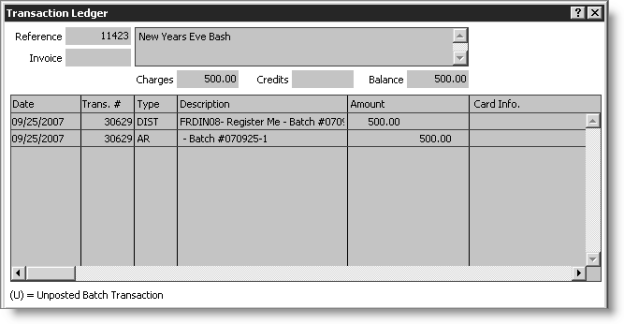
The Transaction Ledger window provides an itemized transaction log related to a specific order/invoice, including fees charged, payments received, and any adjustments made.
Typically, individual lines are displayed for each item and for the payment received and/or the amount charged to AR. If any items are later canceled or adjusted, the Transaction Ledger window also includes lines showing these adjusted amounts. For each transaction line, the Transaction Ledger window shows the date of the transaction, the amount, and the function name or transaction type.
The Description field has this layout, with each element displaying only if it has a value:
Card#, Auth:, Name on Card:, Gateway Ref#, Exp:
Note: If Advanced PCI Compliance > Do not retain cardholder information is enabled, iMIS saves transactions without cardholder data and shows only gateway reference number and authorization code fields (see Implementing Advanced PCI Compliance options).
To view transactions
- From Customers, select Manage customers to open the Manage customers window.
- Click Find to open the Search window.
- Enter the customer ID or click the Lookup icon to select a value, and press Enter.
- Select the AR/Cash tab to view the customer's AR/Cash information.
- To open the Transaction Ledger window, double-click a line item.
Note: AR items that have not been invoiced are referenced with an R preceding the item.