Reviewing the Customizer interface

The following diagram shows the iMIS Customizer windows that you access when you select Define Tables and Define Windows.
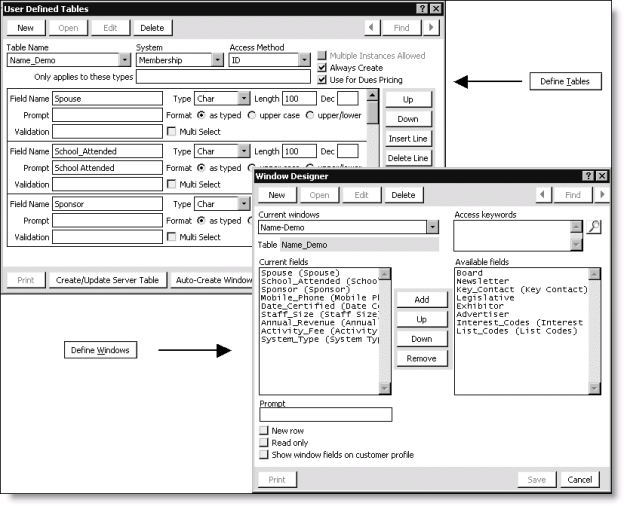
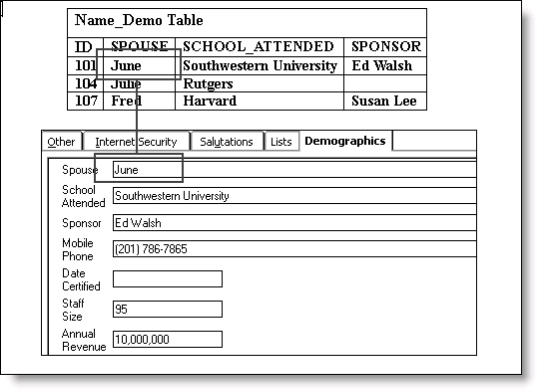
In the User Defined Tables window, we selected the Name_Demo table and defined the fields we wanted to use. When we created the user-defined Demographics tab, we chose the Name_Demo table, and selected only nine fields from the table to display in our Demographics tab.

When we enter data in the Demographics tab, the Name_Demo table stores the data, and the Demographics tab displays the data.