Letter Text window
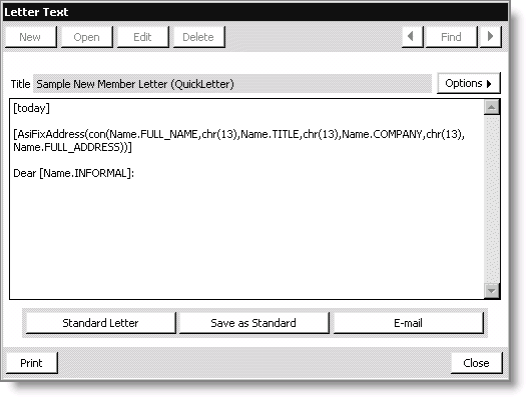
Title
Enter the name of the Standard Letter.
Options button
Opens a list of options for the selected letter:
Letter Format - Available letter formats. Corresponds to the six available letter report formats defined in the Report Specifications window.
Note: When you change the format for a letter, the selected format is written to the report description so that the next time the report is selected from the Letter Text window, the most recently selected format will be used.
Margins - Opens the Margins/Page Layout window that allows you to specify the layout settings for your letter.
Standard Letter button
Opens the Find window and select from the available letter reports.
Save as Standard button
Used to save a letter.
E-mail button
Used to send an e-mail directly to a customer (requires MAPI32-compliant e-mail application software and Internet access).
Print button
Used to generate a letter and send it to your report destination.