Note: Although creating warehouses is available through the Staff site, the management of the warehouses along with the related functionality is a Desktop-only feature. If you are using an online store, the warehouse functionality is not available to you.
Warehouses must be defined before you can begin establishing inventory parameters based on warehouses.
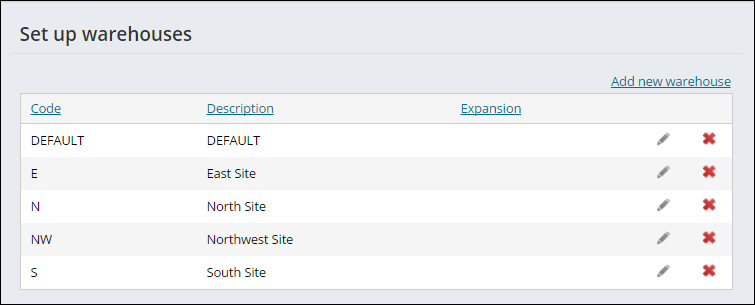
Do the following to define warehouses:
- From the Staff site, go to Settings > Commerce > Set up warehouses.
- Select Add new warehouse.
- Enter a Code for the warehouse. After the warehouse is saved, the Code cannot be updated.
- Enter the warehouse's full name in the Description field.
- Click Save & Continue.
- Continue adding warehouses, then click Close.
To edit a warehouse Description, click the edit icon, then click Update. To delete a warehouse, click the delete icon. In order to be able to delete a warehouse, the following conditions must be true:
- The warehouse is not the default warehouse for any product
- No orders are open for products stored in the warehouse
- The warehouse is empty of all inventory