Manage customers window - Orders tab (Current view)
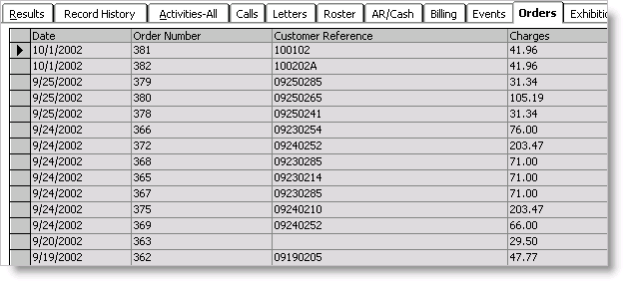
Date
Displays the date of the order.
Order Number
Displays the order number.
Customer Reference
Displays the value entered in the Purchase Order field on the Enter and edit orders window.
Charges
Displays the total charges for the order.
New Order button
Opens the Enter and edit orders window and enter an order.
History button
(Not shown in example) Click to toggle between viewing current open orders and historical invoiced orders.