Last updated on: June 19, 2026
QuickStart Template
Account pages
The following custom account pages are configured for use on the public website, Web, which include tabs for QuickStart features.
Individual
Individual account public pages are provided in a copied state and ready for configuration.
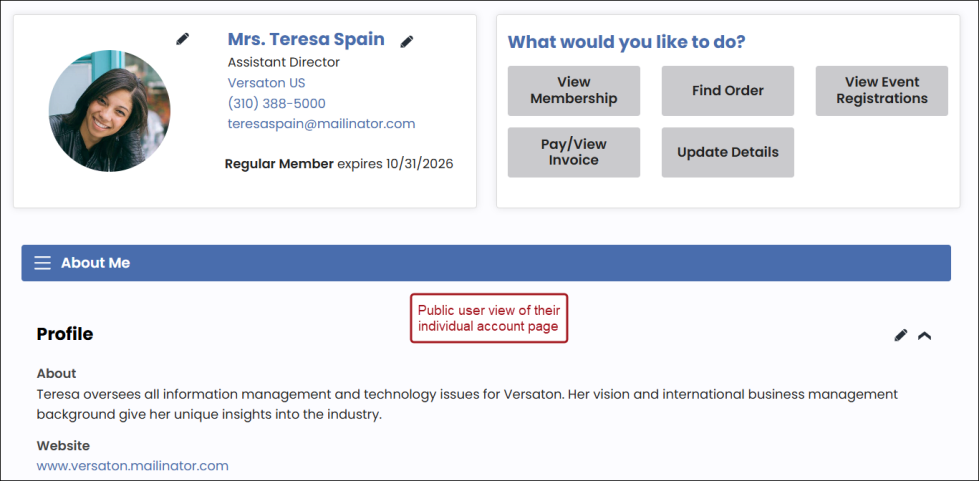
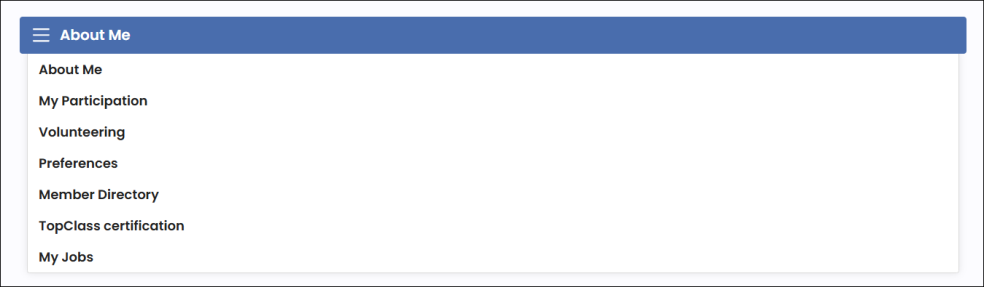
Account page tabs are used to navigate throughout sub-menus on the account page. These tab content records are located in the @/Web/ContactManagement/Individuals/Tabs folder.
To configure the Individual account page as a Staff user, go to RiSE > Page Builder > Manage content, and navigate to the @/Web/ContactManagement/Individuals folder. See Creating custom account pages for configuration steps and tips.
The following additional tabs are included as part of the QuickStart template:
- Member directory
- Event speaker
- My jobs
- TopClass certification
Note: If you update or customize the account page, be sure to update the MyAccount shortcut to point to the new copied Account page.
Organization
Organization account staff pages are also provided in a copied state and ready for configuration.

Account page tabs are used to navigate throughout sub-menus on the account page. These tab content records are located in the @/Web/ContactManagement/Organizations/Tabs folder.

To configure the Organization account staff page as a Staff user, go to RiSE > Page Builder > Manage content, and navigate to the @/Web/ContactManagement/Organizations folder. See Creating custom account pages for configuration steps and tips.
Note: If you update or customize the account page, be sure to update the OrganizationAccount shortcut to point to the new copied Account page.