Last updated on: June 23, 2026
Understanding an invalid Background Account
The Background Account is used by the Power Suite applications to communicate with iMIS directly, without the need for someone to be signed in. This allows for applications, like iDMS, to perform jobs overnight, and the Cloud SSO to authenticate users 24/7. The Background Account is a required setup step for all Cloud IDs that exist on the Power Suite Cloud Platform.
See Getting Started Guide: iMIS Power Suite for more information.
The background account can become invalid for a number of reasons:
- The password changed (per the PCI recommendation).
- The user credentials were deactivated or removed from the user in iMIS.
- The username was changed in iMIS.
Affected areas
If your background account becomes invalid, the following services will stop functioning until the background account is fixed:
- iDMS iImport Imports
- iDMS iUpdate Updates
- iDMS iSchedule Scheduled Imports/Updates
- Cloud SSO Authentications
- Text Messenger Campaigns
Note: This is an incomplete list, as other unlisted services may also be affected.
Preventing an invalid Background Account
To prevent an invalid background account, you should put in place a standard operating procedure with steps to take when you need to update the account password that you're using for the Background Account.
In addition to updating the Background Account, you may also need to update:
- Other cloud services that may use this account as a "service account" of sorts
- (On-Premise Only) Any web.config entries that may reference or use this account
- Any other installed apps or webservices that may "log in" as this user in order to function
A good example of steps to take when updating this account's credentials in iMIS:
- Update the password on the account.
- Log in with the new password to make sure it has taken effect.
- Update your Background Account in the Cloud Dashboard.
- Update any other apps or services that also rely on this account.
Invalid Background Account notification emails
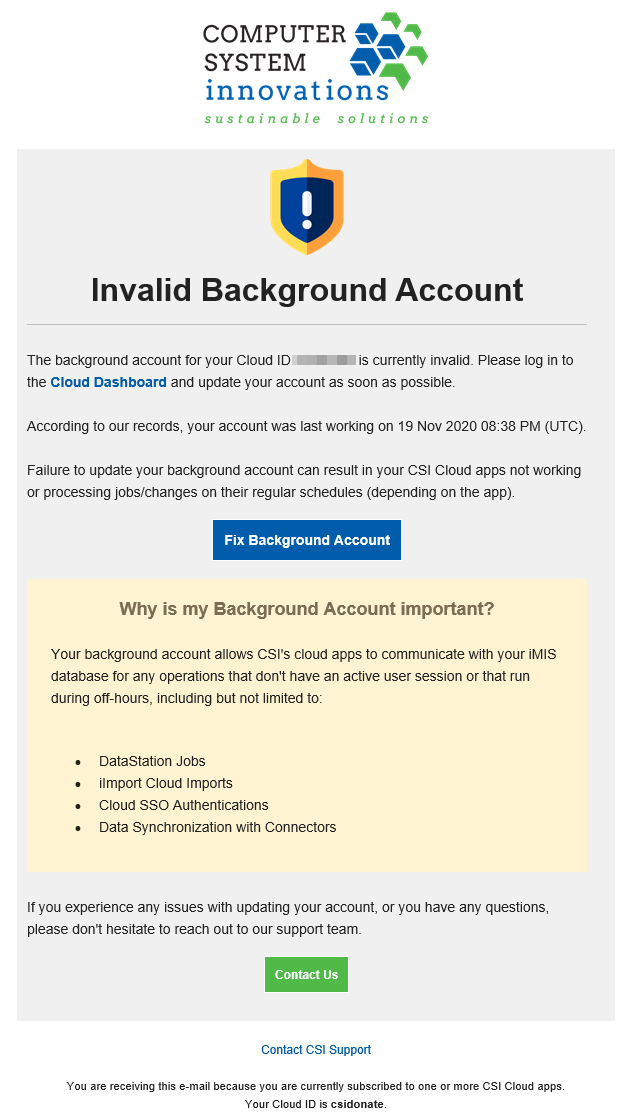
We check your background account periodically to ensure that it's valid. If we detect that your background account becomes invalid, we will send an email to the listed account admins on the Account Settings page notifying those users about the problem.
This email will come from Cloud Platform <notifications@cloud.csiinc.com> and look like this: