Last updated on: June 19, 2026
QuickStart Template
Event reminders
The QuickStart Template includes an out-of-the-box automated event reminder email, which can be configured to send a specified amount of days out from an event.
The following can be configured for this reminder email:
- Business Objects - The eMy_EventDaysOutReminder business object calculates the number of days from the current date to the event. It is filtered to only include events which begin on today or in the future. See Understanding business objects.
- Queries - Queries exist for reminders 1, 3, 5, 7, 14, 28 days out from an event. Go to RiSE > Intelligent Query Architect and search the following location: $/_MySystem/ProcessAutomation/Events.
- Process Automation - A process automation scheduled task called My_EventReminder_3Days is configured to send an event reminder email to registrants three days before the event. The task is configured to send daily at 1:00 p.m. See Understanding scheduled tasks.
- Communication Template - The Event Reminder communication template used in the task can be found by going to Marketing > Communication templates > Communications > _Automated Emails > Events. See Customizing the out-of-the-box templates.
Sending the communication template
To configure the communication template to be sent, you need to update the template and create the scheduled task.
Configuring the communication template
Do the following to configure the communication template:
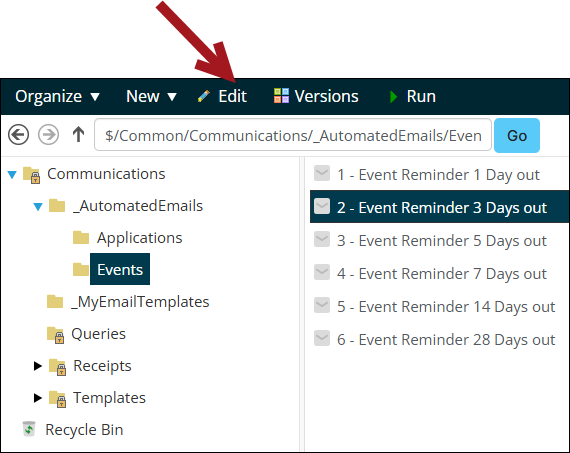
- Go to Marketing > Communication templates > Communications > _Automated Emails > Events.
- Choose the communication template with the desired time length and click Edit.
- Update the template as needed. For example, change the email address, company logos, or body text. See Customizing the out-of-the-box templates.
- On the Recipients tab, Select the query that contains the recipient list.
- Click Save.

Creating the scheduled task
Do the following to create the scheduled task:
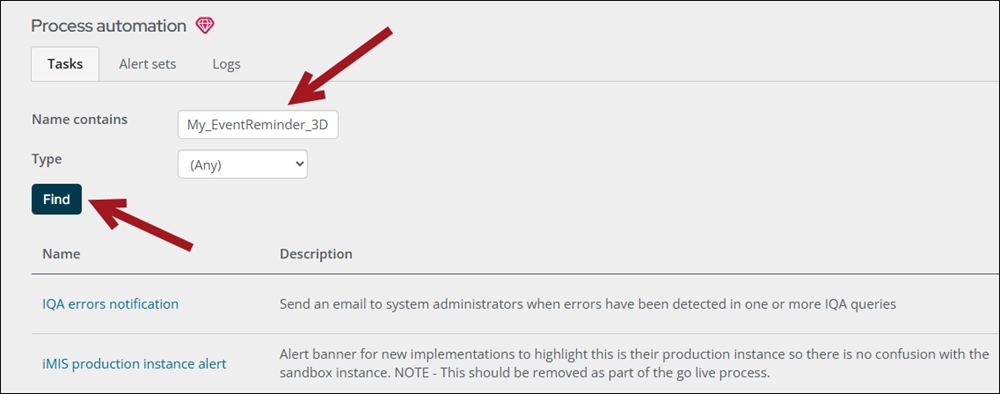
- Go to RiSE > Process automation.
- By Name contains, enter My_EventReminder_3Day and click Find.
- Select My_EventReminder_3Day and update as needed. See Creating and editing scheduled tasks.
- Create any additional scheduled tasks for reminders on more or less than three days out.
- Click Save & Exit.