Last updated on: June 19, 2026
QuickStart Template
Searching for events
The QuickStart Staff site includes a customized event search which allows the user to refine search results with multiple search parameters.
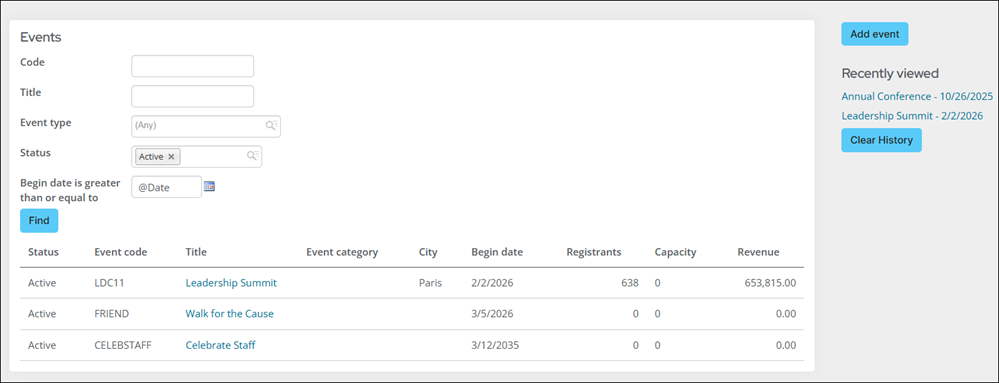
Search options
The search defaults to filtering future events.
Users can use the following search parameters:
- Event Code - Search on a portion, or the full code
- Title - Search on word, or the full title of the event
- Event Type - Select from a dropdown list, multiple types can be selected
- Status - Select from a dropdown list, multiple statuses can be selected
- The date the event begins - Searches for events which begin on or after the date selected.
Configuring event searches
The following can be configured for event searches:
Content Record
The Event Search contact record is found by going to RiSE > Page Builder > Manage content > MyStaff > Searches > Event Search.
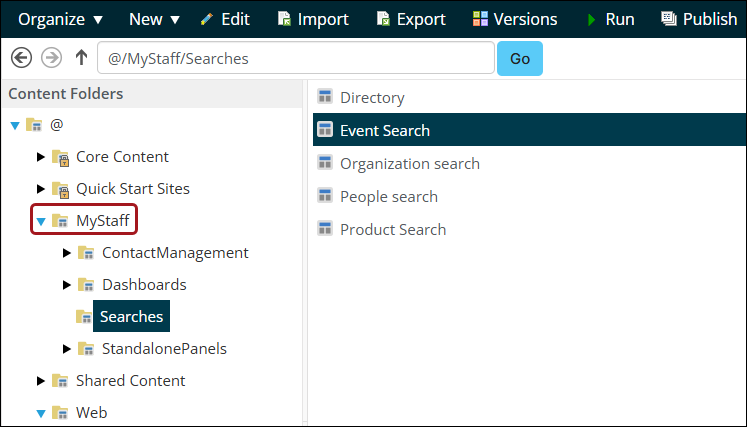
This page includes the following content items:
- Query Menu to display the query: $/_MyWebsite/Events/Events search.
- Big Button Panel for adding new events.
- Recent History to show events that have been recently viewed by the user.
See Configuring content items.
IQA
The relevant query is found by going to RiSE > Intelligent Query Architect > _MyWebsite > Events > Events search. It includes a link to the event on the event title.
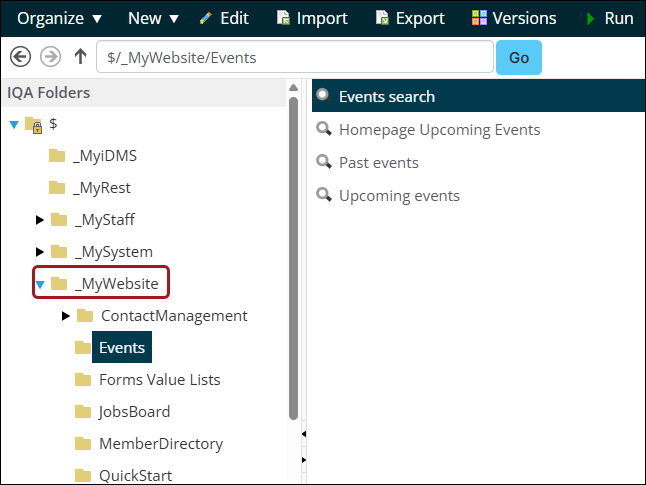
Editing the query
Edit the Event search query as needed by doing the following:
- Modify search fields - Update the filters on the Filters tab in the query to change the search fields displayed.
- Modify search results - Update the properties on the Display tab of the query to show different event information in the search results.
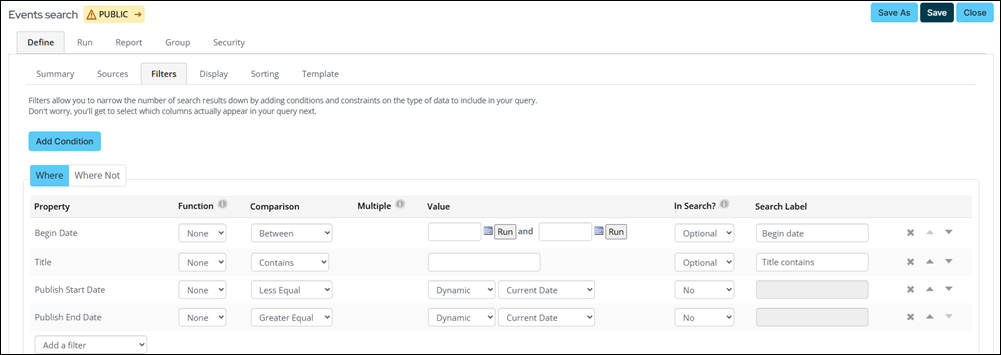
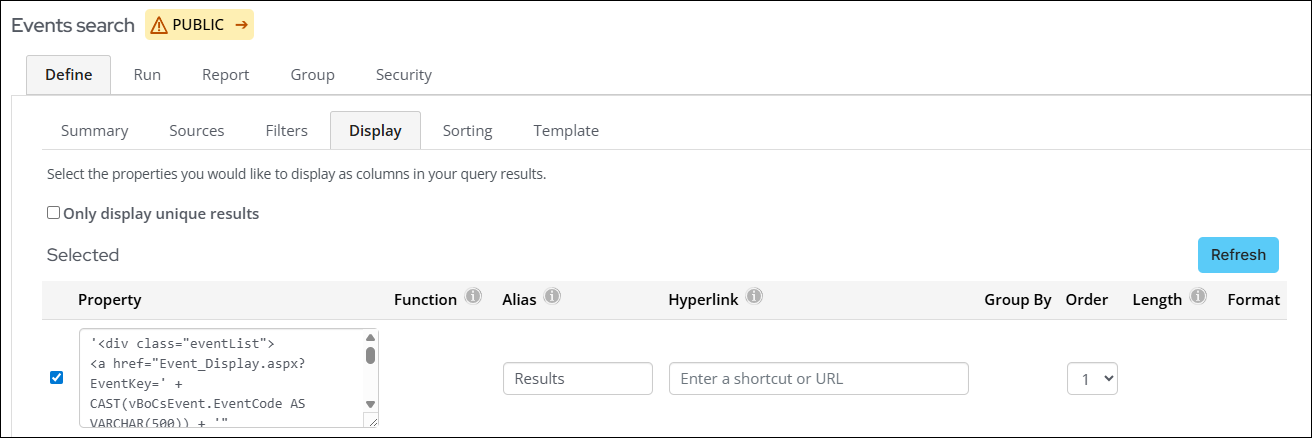
See Defining queries.
Shortcut
The Find Events site navigation item uses a custom shortcut for the Staff site called StaffFindEvents and points to the page: @/MyStaff/Searches/Event Search. Go to Site Builder > Manage shortcuts and search for StaffFindEvents.
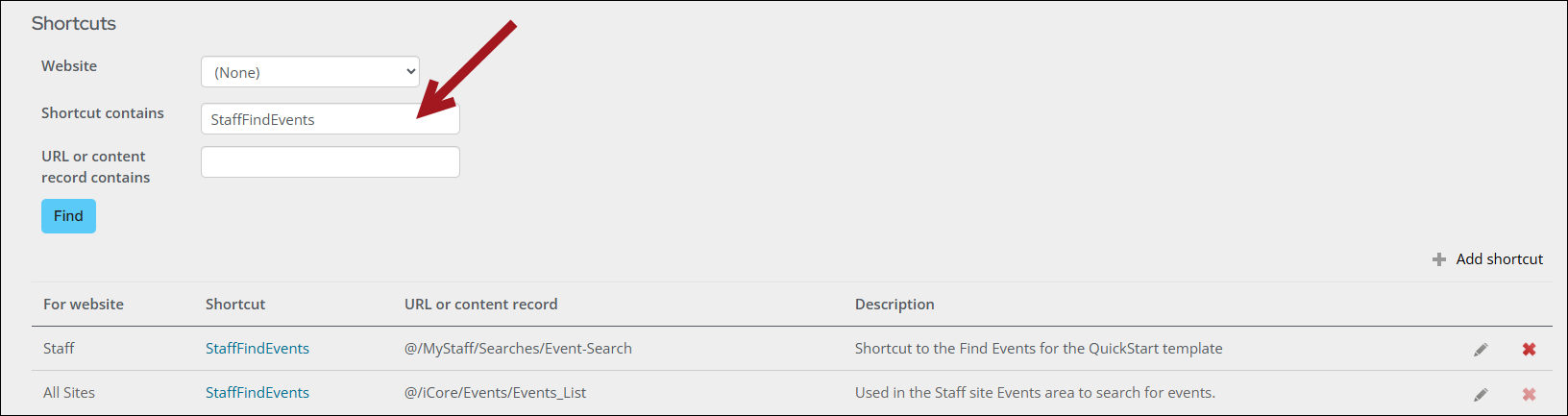
See Managing shortcuts.