Last updated on: June 29, 2026
To use the Commerce Dashboard, go to Commerce > Dashboard.
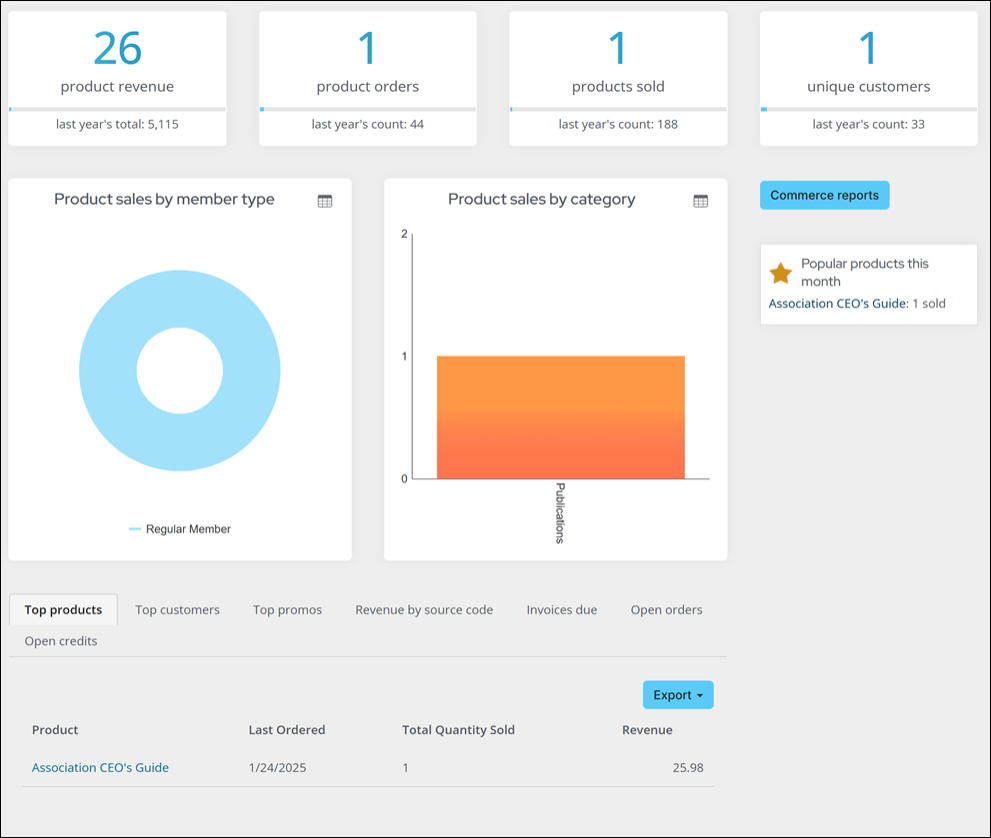
The following information can be found:
- Product revenue for the year and comparison to last year
- Product orders and comparison to last year
- Products sold this year and comparison to last year
- Unique customers and comparison to last year
- Product sales by member type
- Product sales by category
- Total campaign revenue by source code
- List of Top products, customers, and promotions
- List of Invoices due
- List of open orders
- Several commerce related alerts