Last updated on: June 29, 2026
Stopping rebilling plan in BluePay
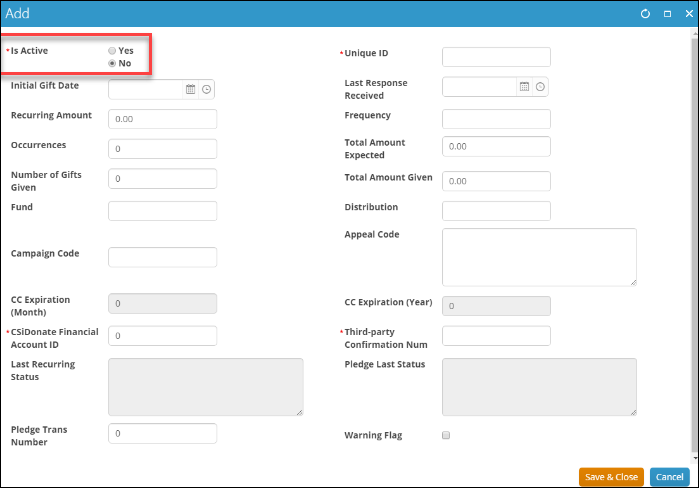
You will need to stop the Rebilling Plan set up in BluePay by following the directions below. Simply updating the IsActive flag on the Recurring Plan in iMIS will not stop Rebilling Plan. The Is Active field in iMIS is for reporting purposes only. Leaving the Is Active field disabled and leaving the recurring gift plan in BluePay as active will continue to charge the card on file, but you will not see any data correctly written back to iMIS, as iMIS is expecting the gift plan to be deactivated. It is incredibly important to have both the Is Active field is disabled and the rebilling plan cancelled in BluePay to end a recurring gift.
Do the following to stop a rebilling plan in BluePay:
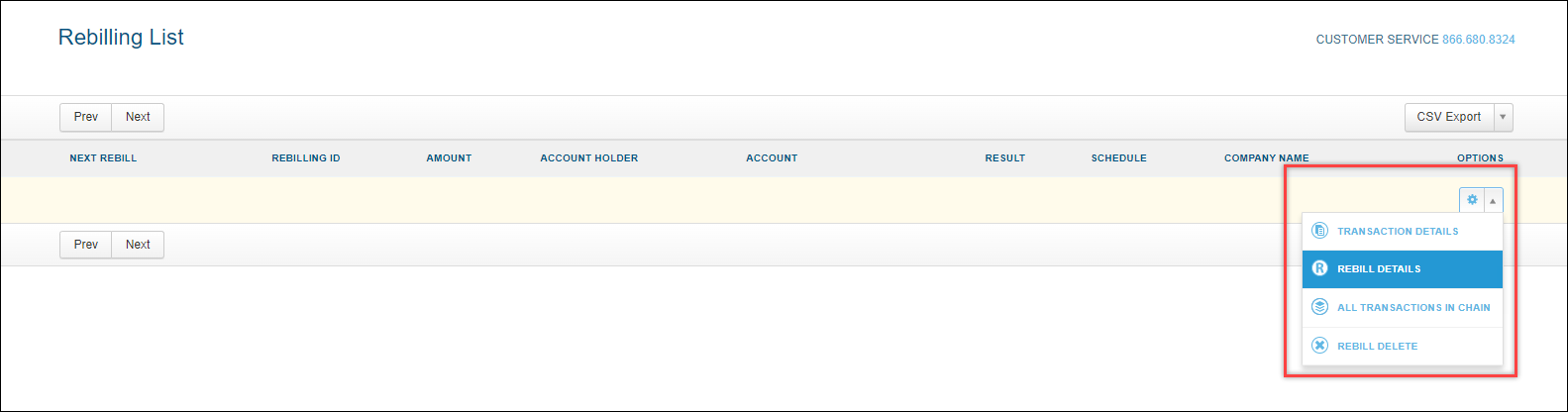
- Find the rebilling plan in BluePay and click the icon under Options to select REBILL DETAILS.
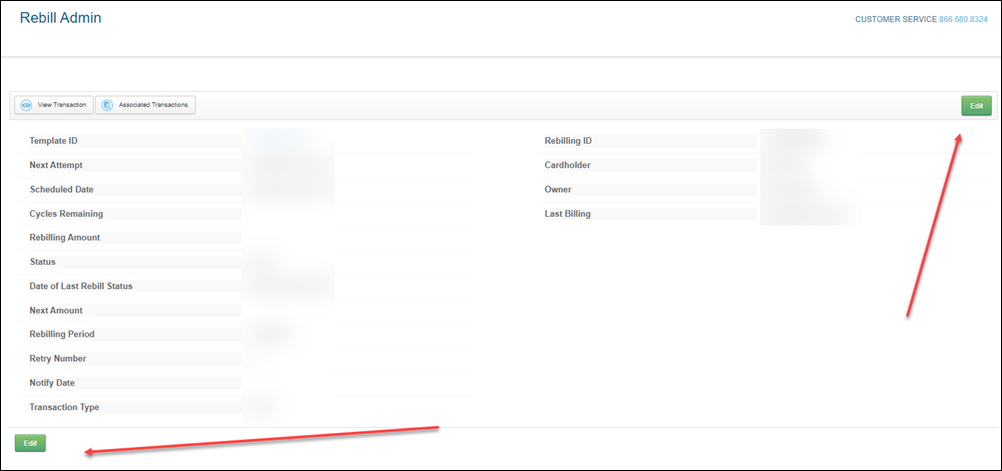
- Click Edit to edit the plan:
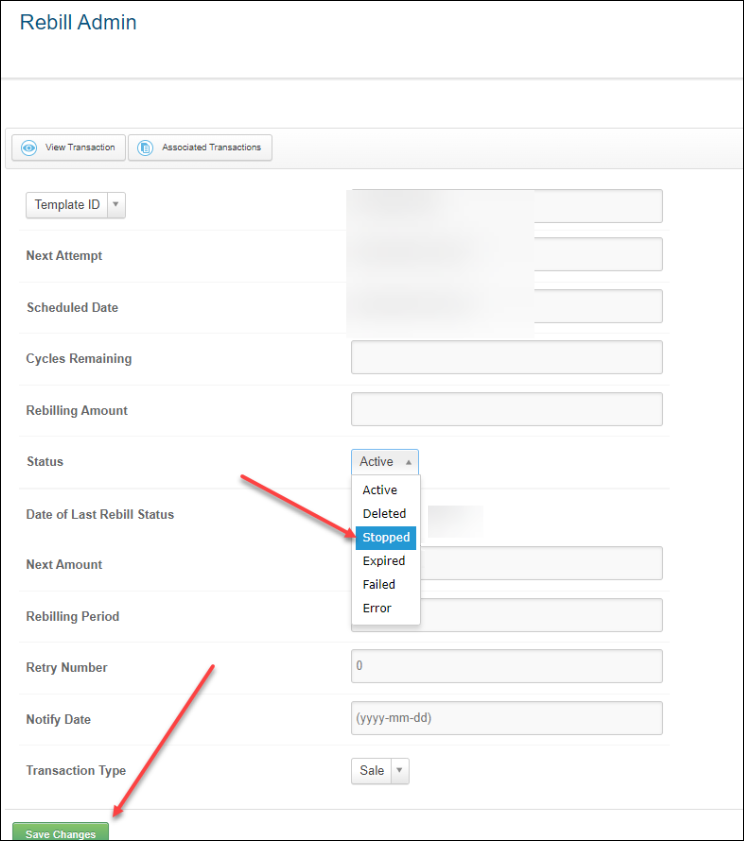
- Select the Drop Down menu for the Status field and select STOPPED.
- Click Save Changes.
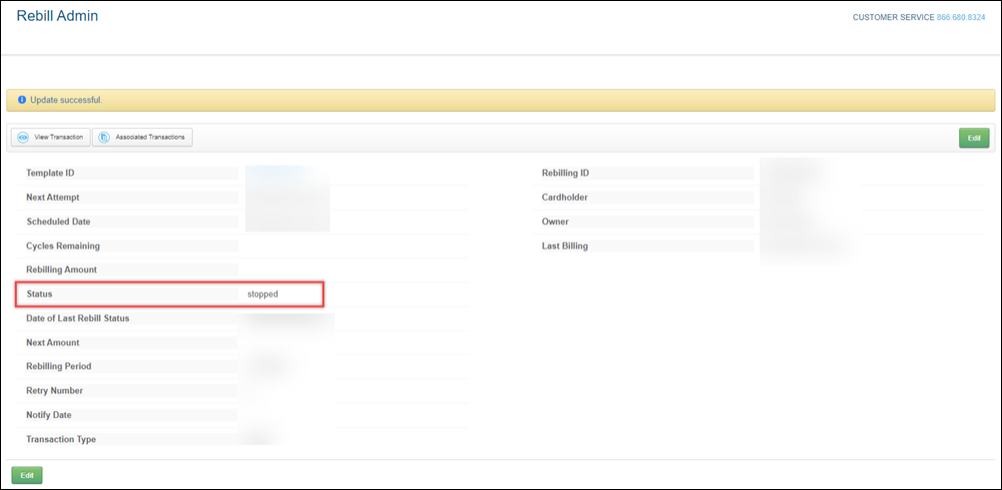
- After clicking Save Changes, your page should look like the following screenshot (notice the Status is now Stopped):
- Lastly, do not forget to update Is Active to inactive. It will still show as active unless you manually update it.