Last updated on: January 27, 2026
Finding recipients when composing an appointment
iMIS Outlook Integration allows users to add iMIS contacts to an Outlook appointment.
To find recipients when composing an Outlook appointment, do the following:
- Click on the iMIS Outlook Integration icon to open iMIS Outlook Integration.
- Choose Contact Search, Groups, or IQA queries to get the list of potential attendees.
Note: At this point, a user may need to sign in if they haven't signed in recently.
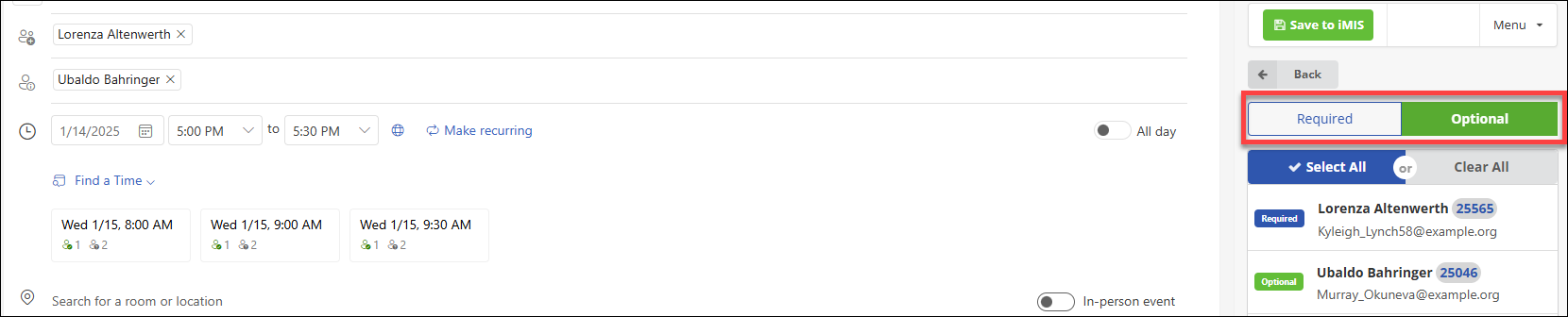
When viewing search results or contact lists in iMIS Outlook Integration, users can add an attendee as Required or Optional using top level filter (highlighted in red). Click on Required or Optional, then select the corresponding attendees. Unchecking the attendees will remove them from the list.