Last updated on: June 23, 2026
Enhancing your iMIS experience
Easily review a comprehensive overview of additional products and licensed features from the Enhance your iMIS experience page.
Go to Help > Enhance iMIS or select View available features and products from the About iMIS page.
From this page, users can explore all ASI offerings such as Clowder, SpaceMaster, OpenWater, and TopClass. If any of these offerings are already in use, they will not be listed. The page also highlights licensed features not yet purchased and includes a direct link to the iMIS Marketplace, where users can discover the full range of iMIS integrations.
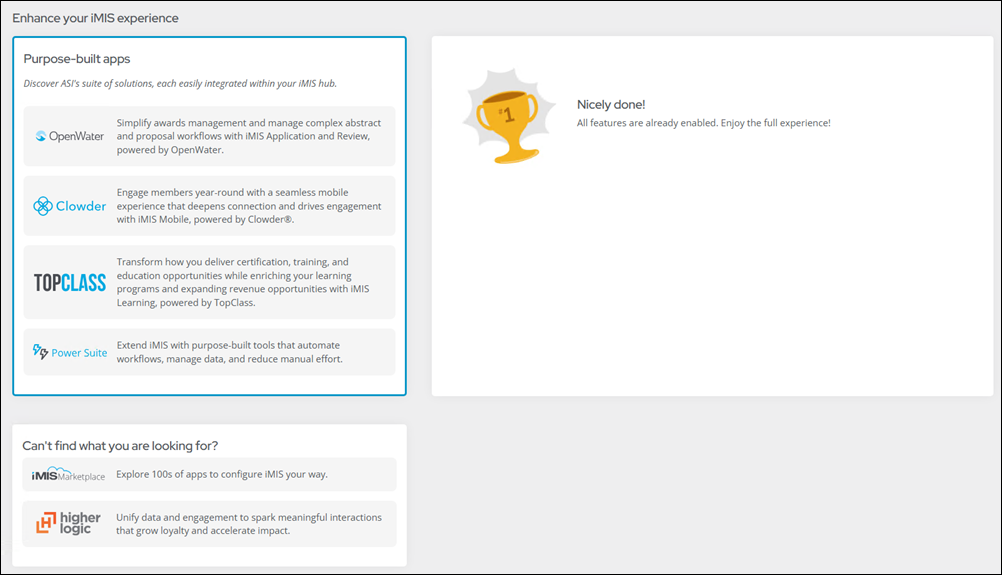
These features and applications include the following:
- Purpose-built apps - Other ASI offerings including the following:
- Open Water - Simplify awards management and manage complex abstract and proposal workflows with iMIS Application and Review, powered by OpenWater.
- Clowder - Engage members year-round with a seamless mobile experience that deepens connection and drives engagement with iMIS Mobile, powered by Clowder®.
- TopClass LMS - Transform how you deliver certification, training, and education opportunities while enriching your learning programs and expanding revenue opportunities with iMIS Learning, powered by TopClass.
- Power Suite - Extend iMIS with purpose-built tools that automate workflows, manage data, and reduce manual effort.
- Available features – Lists iMIS features you do not have a license for but can acquire. Clicking an available feature displays a window with additional information about the feature and a Learn More button. Clicking Learn More directs users to a page where they can request information about the licensed feature.
- Can’t find what you’re looking for? - This section links to the following:
- iMIS Marketplace - Browse for third-party applications that may be useful.
- Higher Logic - Enables organizations to extend their iMIS experience with tools designed to support member engagement, communication, and revenue growth.
Note: These ASI offerings can also be found in the application menu at the top of the staff site next to the logo.
Note: If your iMIS license has expired or is invalid, you will receive a message to update the license before any available features are listed.