Last updated on: June 23, 2026
Chapter or Company Actions
Do the following to use a Manage Members Radio page to insert activities to Chapter or Company records:
- Create a workflow action for each action type desired.
- Make sure activity mapping is accurate to insert the desired activity.
- These activities could be used for informational purposes only or can perform updates against the chapter/company record such as update Name.STATUS.
- Updates to a script may be required. Discuss with your Account Manager.
- Depending on ICE Configuration, you may be able to configure updates within Workflow > Review > Manage Membership Actions.
- Create a roster query that will contain the applicable chapters/companies (Settings > Rosters Configuration).
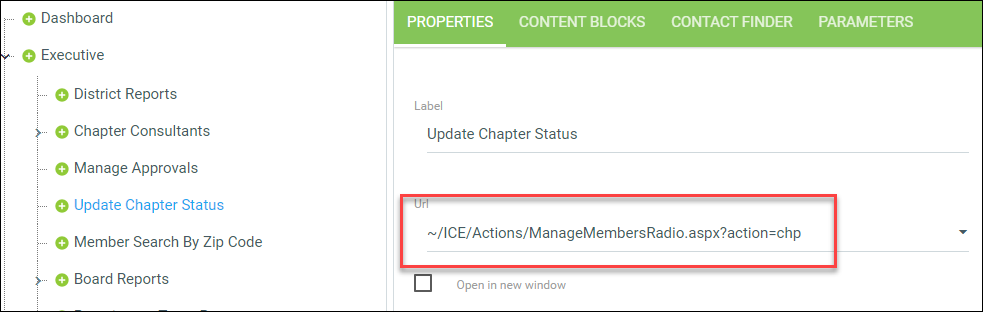
- Create a new Sitemap node using the Manager Members Radio control:
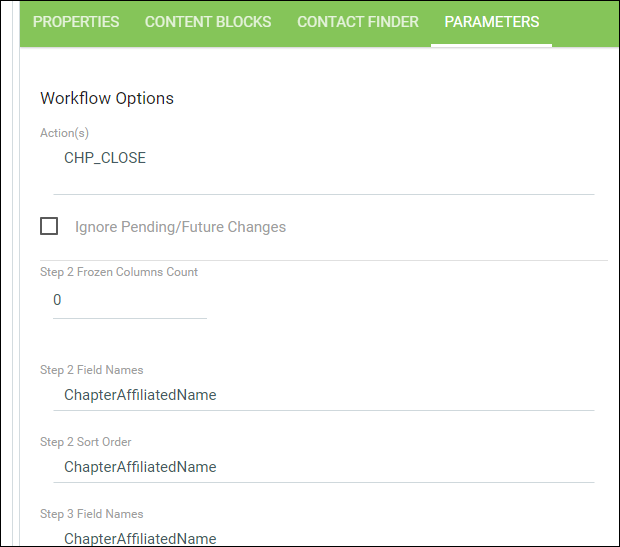
- Add the workflow actions code to the Parameters tab:
- Update the demographics for each step to be applicable to chapter/company records.
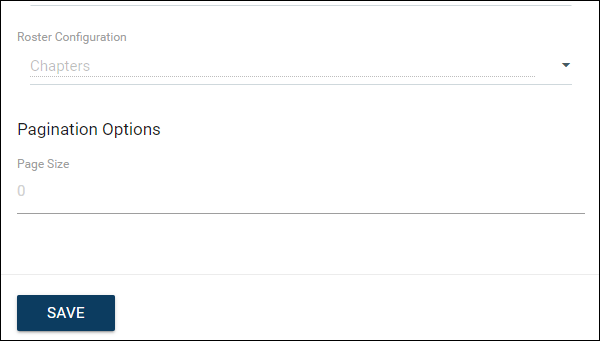
- Select Roster Query.
- Update the content blocks as applicable.
- Add the workflow actions code to the Parameters tab:
- Test the new page.
Example
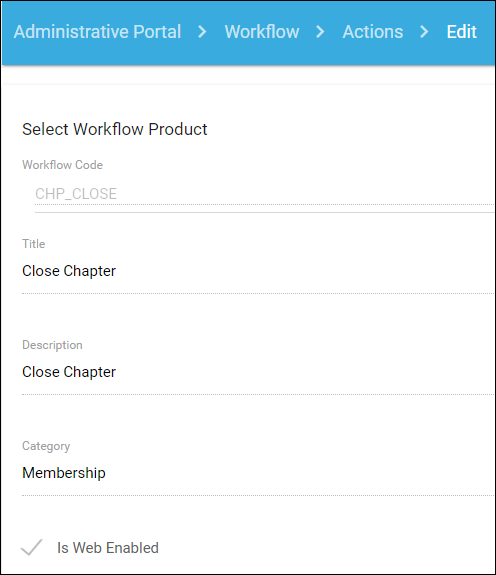
Workflow Action = CHP_CLOSE (close chapter)
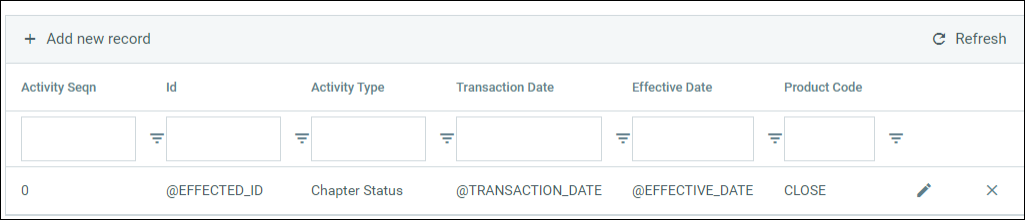
Activity Mapping = Chapter Status activity with Product Code of CLOSE
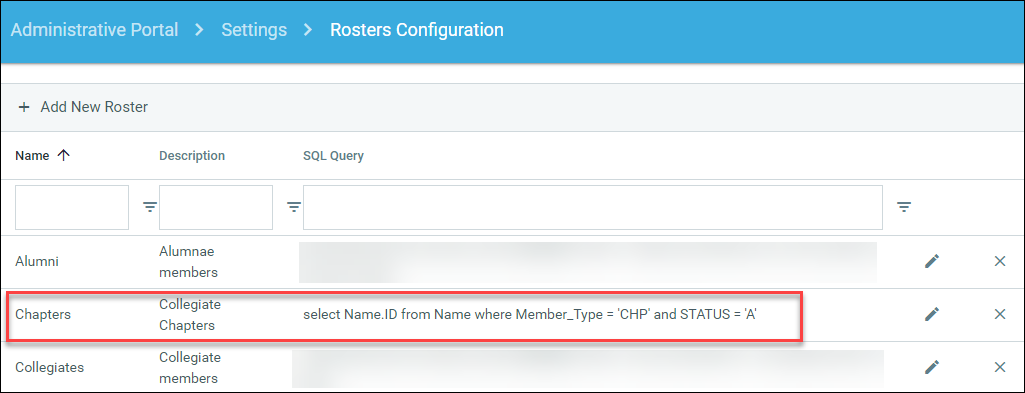
Roster Query
Sitemap Node
Sitemap Parameters - Add workflow action code and set demographic fields per step (note: you can have multiple actions on one page).
Sitemap Parameters - Select Roster Query.
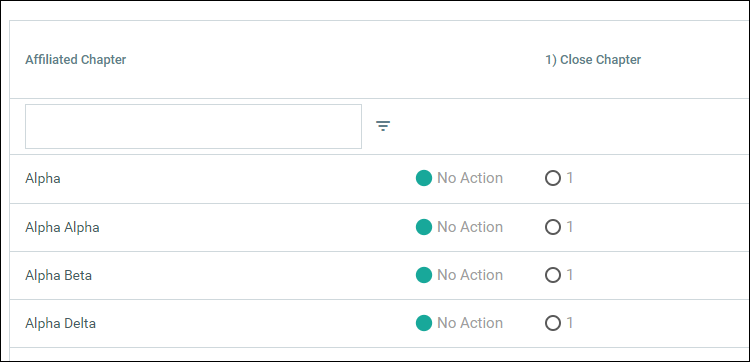
Result