Last updated on: June 23, 2026
Identifying who entered a payment
With certain features like On Behalf Of, Pay Later, Register Someone Else, and so forth, it may be difficult to determine who actually entered a payment.
To identify who entered a payment, do the following:
- Go to Finance > Pay Central > Find payments.
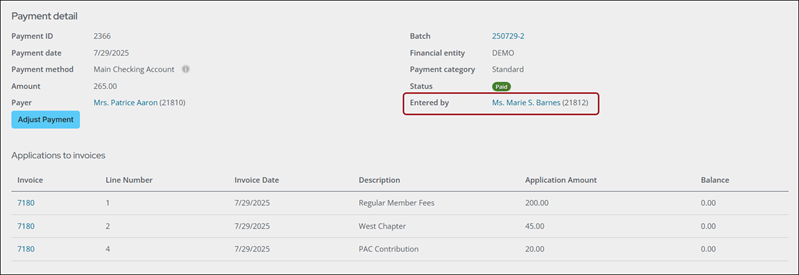
- Search for and open the payment.
- Review the Entered by property, which displays who entered the payment. The following may appear:
- Anonymous - Payments made by unauthenticated users from the Guest Invoice Payment content item. For more information, see Paying invoices using a direct link.
- MANAGER - Payments facilitated by system processes like AutoPay.
- User no longer exists - Payments made by users who have since been removed.
- Full name – For payments entered by authenticated users, the logged-in user’s full name along with their ID appears as a clickable link.